YouTube, without the doomscroll.
Reet replaces YouTube's recommendation algorithm with a structured learning dashboard. Import playlists, track progress, and lock away distractions.
Every exit requires a challenge. No willpower needed.
Every new tab is a trap.
We turned it into a guardrail.
When Focus Mode is on, every new tab (Ctrl+T) opens the Focus Hub - not a blank tab. You see your whitelist of allowed study sites, one click away.
Focus Hub
New Tab Destination
You can't just "turn off" Focus Mode.
Three exit challenge types. Each one designed to break the impulse loop.
Commitment Phrase
Type your commitment word-for-word. A 3-second cognitive pause that kills the doomscroll impulse.
Math Challenge
Solve a random arithmetic problem. Simple enough to not frustrate, hard enough to make you think.
PYQ Challenge
Solve a real JEE or NEET past-year question. Turn your exit attempt into an extra study session.
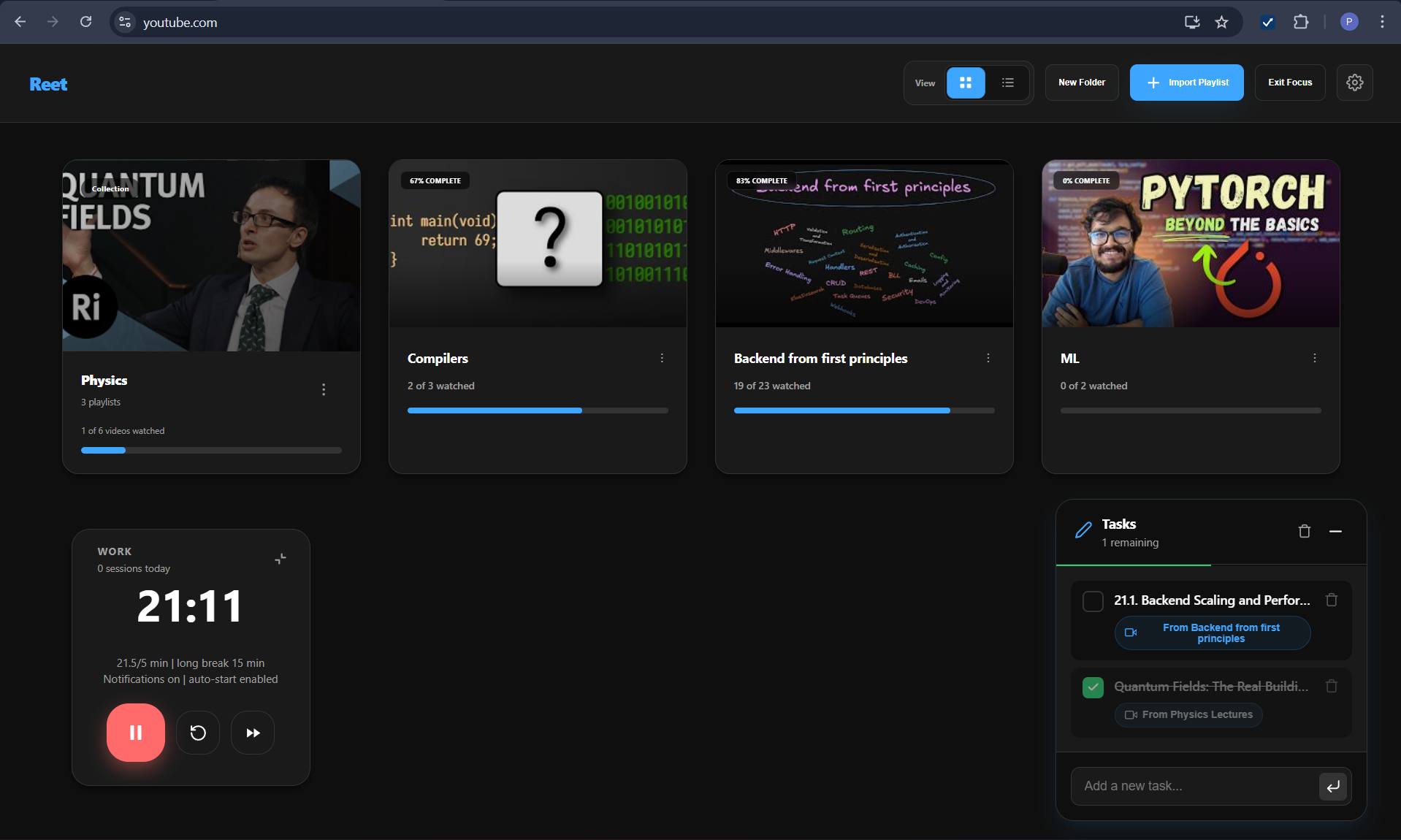
Your learning library,
not a "Watch Later" graveyard.
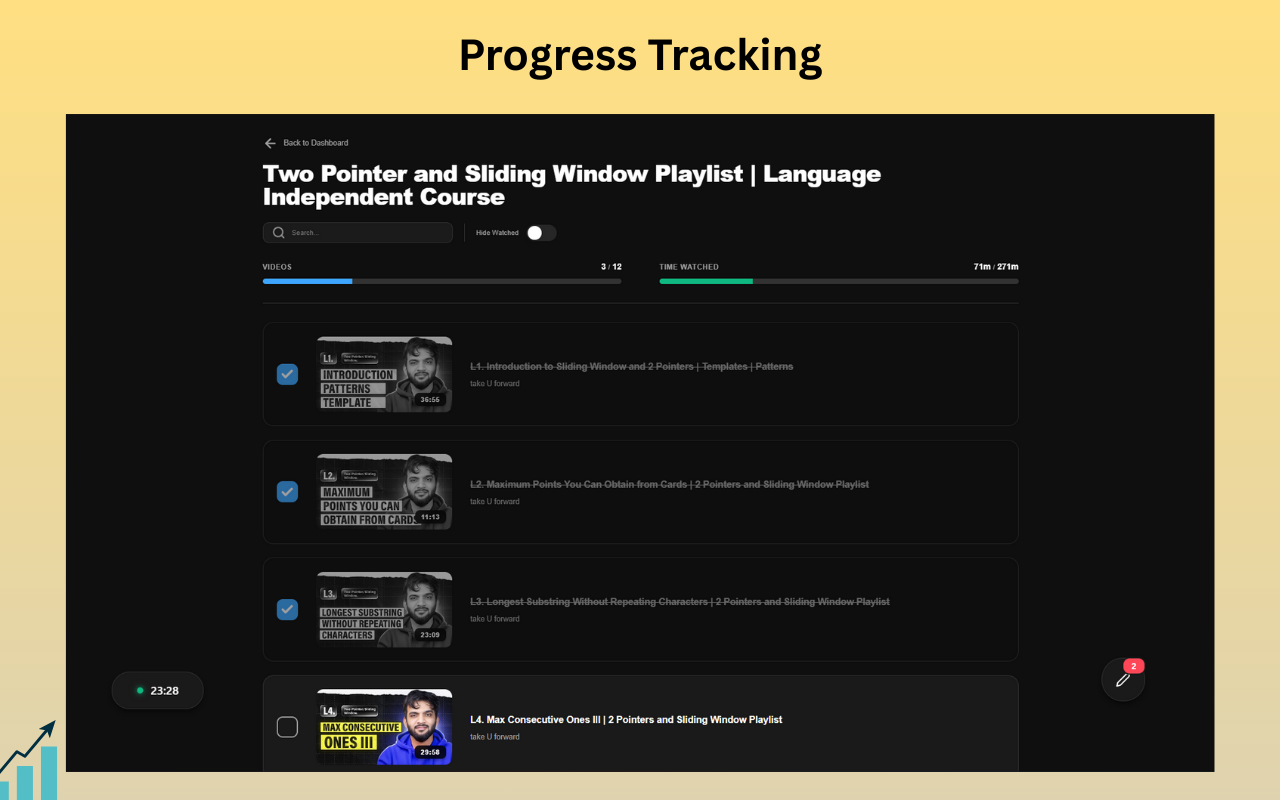
Import YouTube playlists via URL or your Google account. Each playlist becomes a trackable folder with video progress, time-watched stats, and completion percentages.
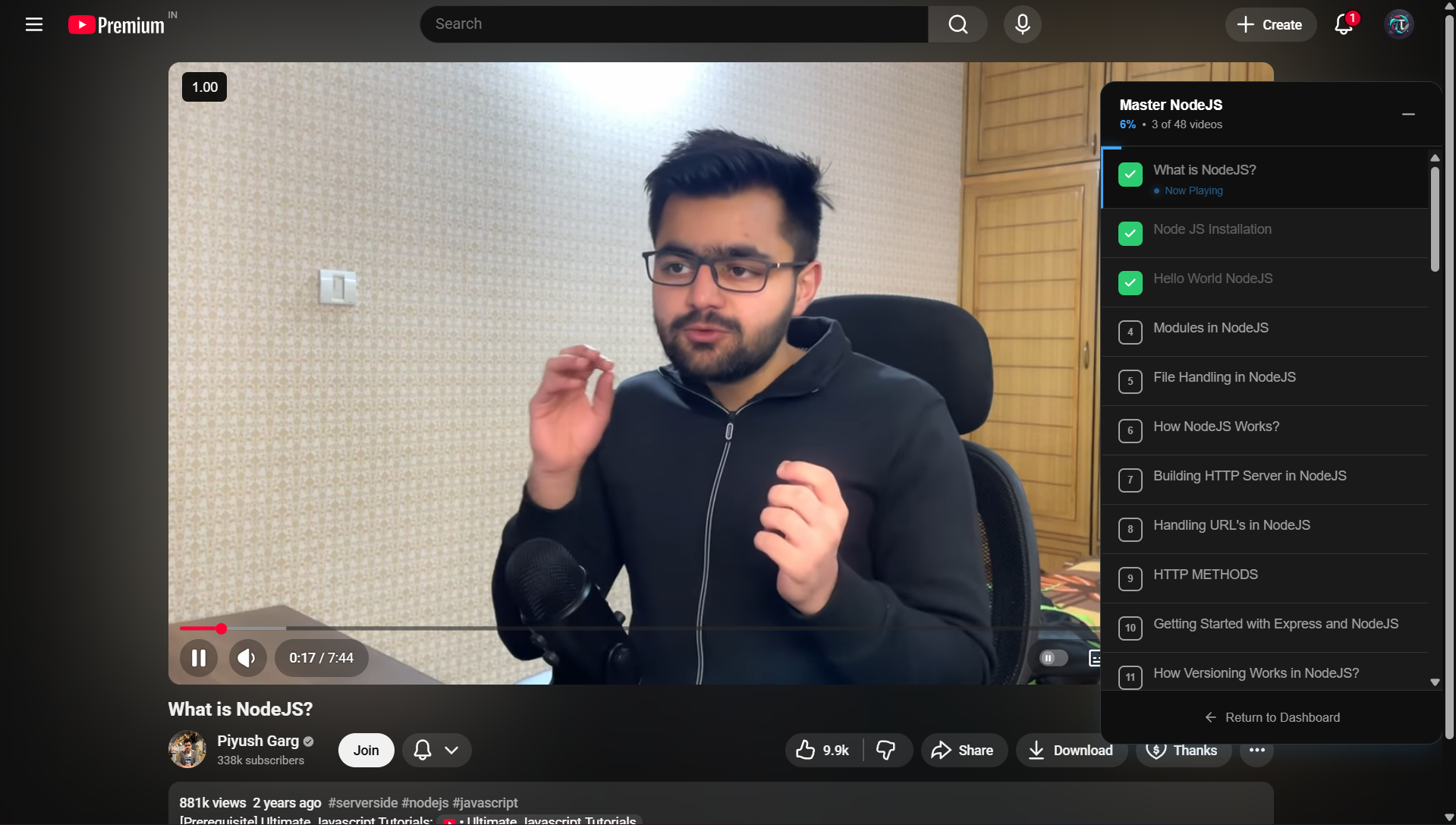
Your playlist follows you to the video.
When you open a video from your dashboard, a floating sidebar appears on the watch page. Skip to the next video, check off what you've watched, and track progress without ever seeing the recommendation feed.
Pro tools that live inside YouTube.
No tab-switching. No context loss. Your entire study workflow stays on one screen.
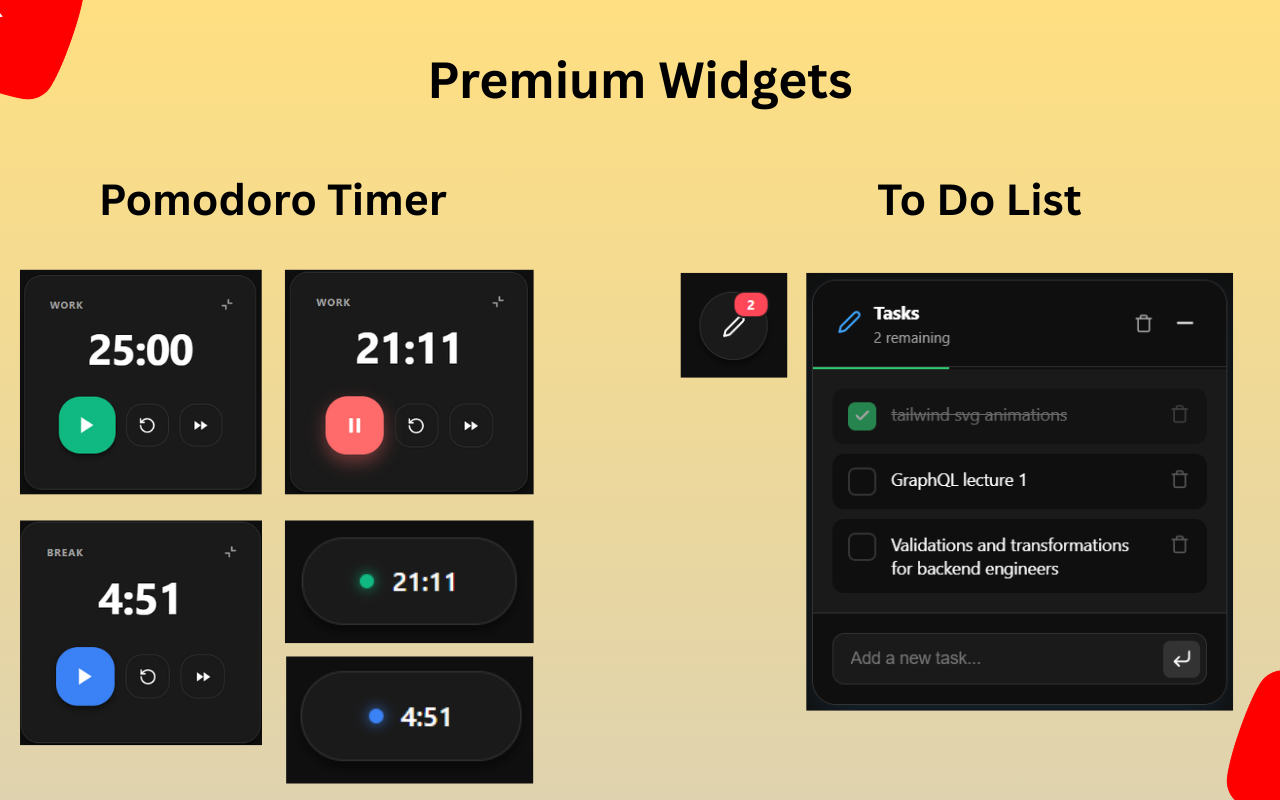
Pomodoro Timer
Work/break intervals with Classic, Deep, and Sprint presets. Collapse to a mini pill, expand for full controls. Resumes across tabs.
- 3 presets (Classic, Deep, Sprint)
- Auto-start next session
- Browser notifications
- Draggable & pinnable
To-Do Widget
Tasks linked to playlist videos. Check off a task, and the corresponding video marks as watched. Your notes and your progress stay in sync.
- Linked video tasks
- Progress bar for completion
- Clear completed in one click
- Mini/collapsed mode
Collections
Group playlists into named folders. Biology, Physics, Chemistry — whatever structure fits your study plan.
- Group playlists into folders
- Per-collection progress stats
- Move playlists between collections
- Grid or list views
Looks the way you study.
Four themes, from distraction-free Dark to premium Midnight. The dashboard adapts to your preference and applies across every YouTube page.
Also included
Playlist Sync
Refresh any playlist to pick up new videos while preserving your watch progress.
Popup Quick Import
Click the extension icon on any playlist page to import instantly.
New Tab Focus Hub
Whitelist editing, URL search bar, and countdown for non-study sites.
Search Playlist
Search videos in your imported playlists.
One click to start.
How Reet fits into your existing YouTube workflow.
Install
Add the extension from Chrome Web Store. Opens automatically on YouTube.
Import
Paste any playlist URL or connect your YouTube account to import in bulk.
Watch
Click any video. A floating sidebar tracks your progress. Comments and recommendations disappear.
Stay Focused
New tabs open the Focus Hub. Leaving requires answering an exit challenge. Impulse broken.
YouTube was built for entertainment.
Reet rebuilt it for learning.
Free to install. Pro unlocks the full toolkit. One-time payment, not a subscription.